Access Everywhere
One plan. iOS, Android, and Web.
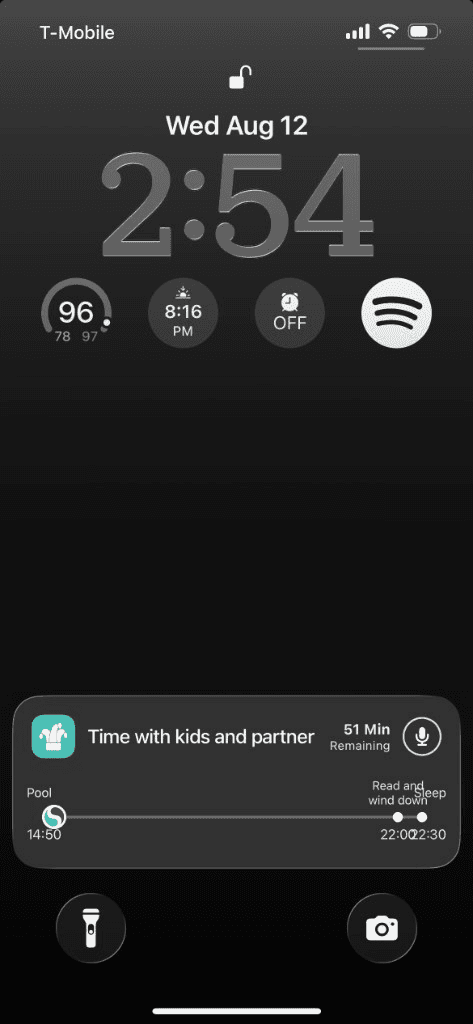
Plan on Canvas in the browser. Live the day on your phone. The same week follows you, including lock screen Live Activity when you need now and next at a glance.


A clearer tomorrow
Your week shouldn’t live in only one device.
Web for the big picture. Phone for the day. Notifications and Live Activity when you’re away from both.
- Canvas planningWeb
- Daily Brief + Live ActivityiOS
- Same day flowAndroid
- Ask SkedzuAnywhere
Start anywhere
Plan on web. Carry it in your pocket.
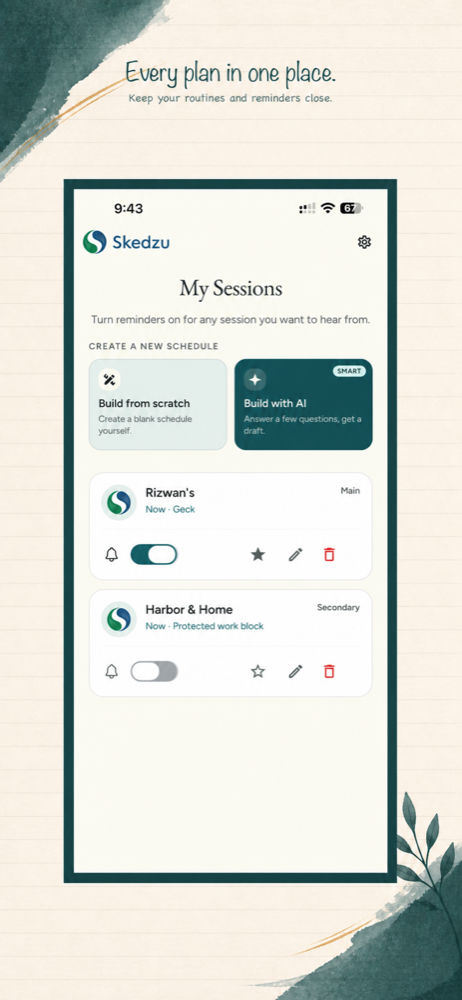
Use Canvas when you have a keyboard. Open Daily Brief when you’re on the move, same session, same blocks.
- Web Canvas
- iOS app
- Android app
- Synced week
Simple by design
The same week, the right surface.
Desktop leans into Canvas. Phones lean into Daily Brief and Live Activity, without splitting your plan in two.
- 01
Shape the week on web
Drag and protect blocks on Canvas.
- 02
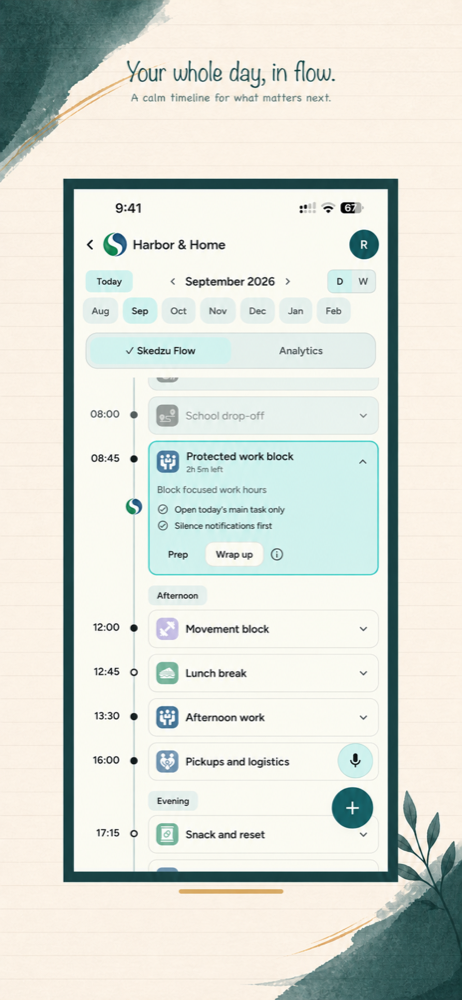
Live it on mobile
Daily Brief keeps now and next obvious.
- 03
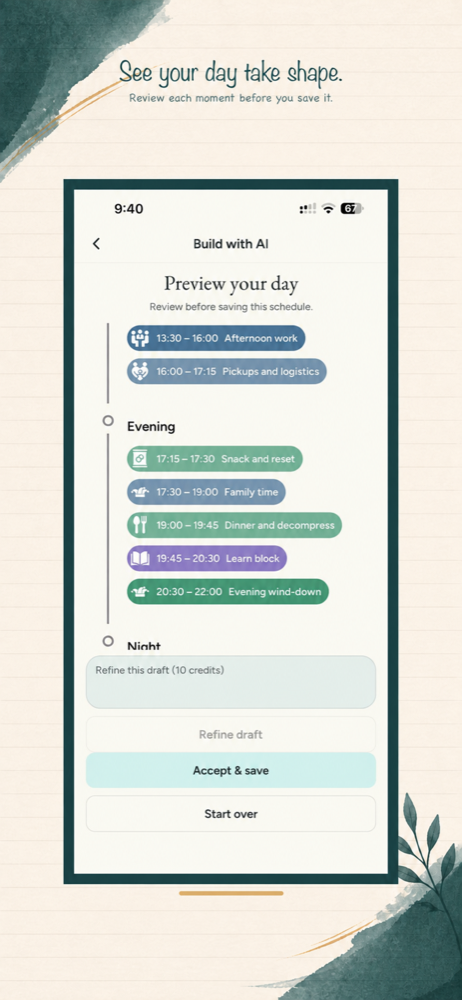
Glance at the Lock Screen
Live Activity shows the current block when you can’t open the app.

A calmer week
Access everywhere, without a fragmented plan.
iOS, Android, and Web stay in sync so you plan once and live it anywhere.
- 01
Web Canvas
- 02
Mobile Daily Brief
- 03
Live Activity when you need it
Live Activity
Live the day
one step at a time.
Canvas designs the week. Mobile and Lock Screen Live Activity help you live it — now, next, and when to move, without unlocking the phone.
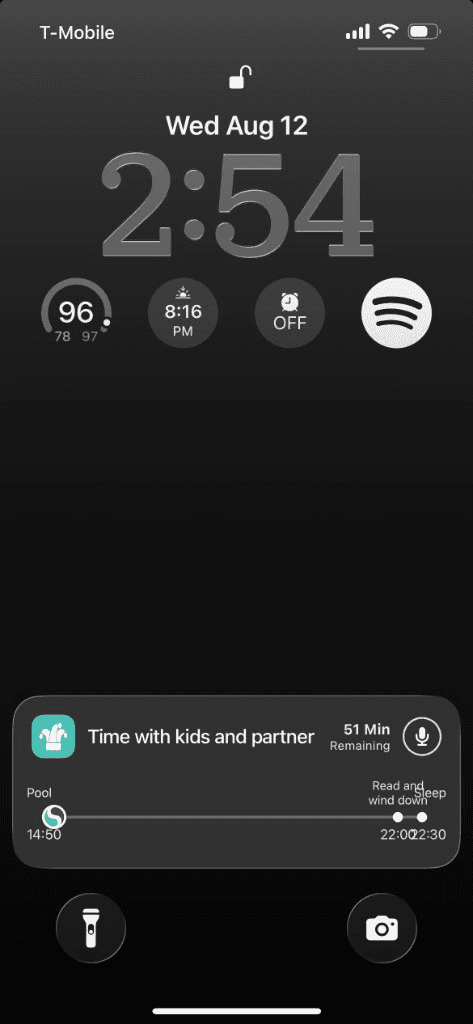
01 · Now
Now
The block you’re in — clear, current, and on your phone or Lock Screen.
02 · Next
Next
What’s coming up so you aren’t guessing while you’re still finishing this.
03 · Later
Later
The rest of the day stays visible without dumping the whole week into your head.
Get the mobile app
On your phone, open the matching store. On desktop, tap a badge to show App Store and Google Play QR codes.

Try it with your real week
Take your week everywhere.
Start with a timeline and see how Skedzu fits into your day.
Start my free test driveFree 30-day AI test drive. No card. No automatic charge.
After 30 days, Canvas stays free.